
What is HTTP QUERY? The Complete Guide to the New HTTP Method
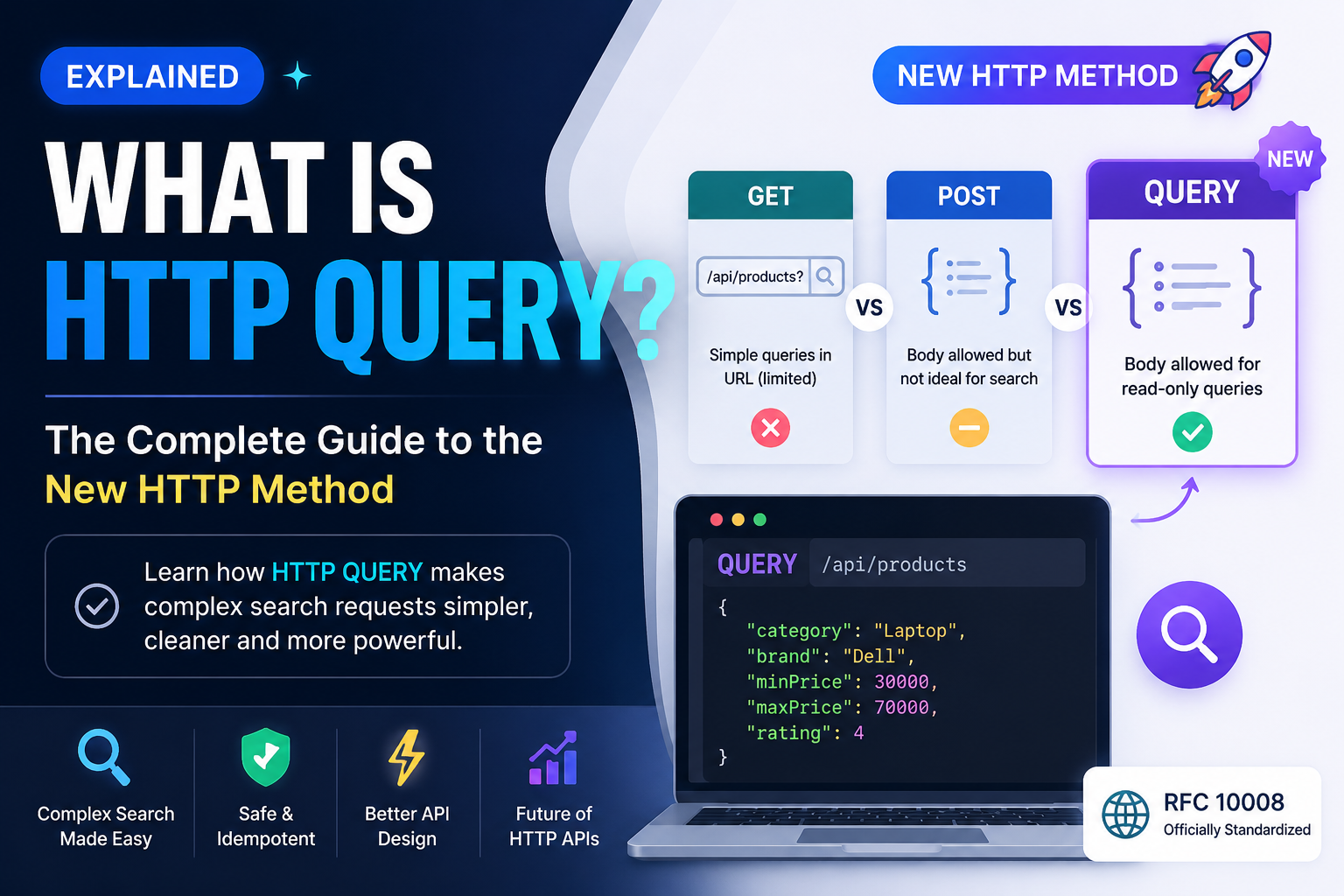
What is HTTP QUERY? The New HTTP Method Explained for Modern APIs
As web applications become more advanced, developers often need to send complex search criteria to an API. Traditionally, this has been done using either the GET or POST HTTP methods, but both have limitations. To address this, the HTTP QUERY method was introduced as a new standard, providing a better way to perform complex, read-only queries.
In this article, we'll explore what HTTP QUERY is, why it was introduced, how it differs from GET and POST, and when you should use it.
What is HTTP QUERY?
HTTP QUERY is a new HTTP request method designed specifically for read-only operations that require a request body.
Unlike GET, which typically sends parameters in the URL, QUERY allows clients to send complex search criteria in the request body while still indicating that the operation does not modify server data.
In simple terms:
GET → Retrieve simple data
POST → Create or process data
QUERY → Perform complex searches without changing data
Why Was HTTP QUERY Introduced?
For many years, developers faced a common problem.
Imagine an e-commerce website where users can search products using dozens of filters:
Category
Brand
Price Range
Colour
Ratings
Availability
Sort Order
Using GET, the URL becomes long and difficult to manage.
GET /products?category=laptop&brand=dell&price=50000&colour=black&rating=4&sort=price
For even more filters, URLs become excessively long.
Many developers instead used POST for searches.
POST /products/search
{
  "category": "Laptop",
  "brand": "Dell",
  "price": 50000,
  "rating": 4
}
Although this works technically, POST is generally intended for creating or processing resources, making it semantically incorrect for read-only searches.
HTTP QUERY solves this issue.
How HTTP QUERY Works
Instead of putting filters in the URL, QUERY sends them inside the request body.
Example:
QUERY /products
Content-Type: application/json
{
  "category": "Laptop",
  "brand": "Dell",
  "minPrice": 30000,
  "maxPrice": 70000,
  "rating": 4
}
The server performs the search and returns matching results without modifying any data.
GET vs POST vs QUERY
FeatureGETPOSTQUERYRequest BodyNoYesYesModifies DataNoUsually YesNoComplex FiltersLimitedExcellentExcellentSafe OperationYesNoYesBest Use CaseSimple retrievalCreate/UpdateComplex search
Benefits of HTTP QUERY
1. Cleaner API Design
Developers no longer need awkward endpoints like:
POST /searchProducts
POST /filterInvoices
POST /advancedSearch
Instead:
QUERY /products
QUERY /invoices
QUERY /customers
The endpoint becomes cleaner and easier to understand.
2. Supports Complex Filters
Applications often require advanced filtering.
Example:
{
  "dateFrom": "2026-01-01",
  "dateTo": "2026-06-30",
  "status": [
    "Paid",
    "Pending"
  ],
  "vendor": "ABC Ltd",
  "minAmount": 1000,
  "maxAmount": 100000
}
Sending this data in a URL would be impractical.
3. Better Semantics
GET means "retrieve."
POST usually means "create or process."
QUERY clearly communicates:
"I want to retrieve data using complex criteria without changing anything."
This improves API readability and consistency.
4. Safer Than POST for Searches
Because QUERY is defined as a safe and idempotent method, it better reflects the intent of read-only operations.
This distinction helps clients, intermediaries, and future tooling understand that the request does not modify server state.
Real-World Use Cases
HTTP QUERY is particularly useful for applications that perform advanced searches.
Examples include:
E-commerce product filtering
Invoice management systems
CRM customer searches
ERP reporting
Analytics dashboards
HR employee searches
Hotel and flight search engines
Document management systems
Log analysis platforms
Example: Invoice Management System
Suppose your invoice application allows users to search invoices by:
Vendor
Invoice Date
Payment Status
GST Number
Amount Range
Payment Method
Using QUERY:
QUERY /api/invoices
{
  "vendor": "ABC Traders",
  "status": [
    "Paid",
    "Pending"
  ],
  "dateFrom": "2026-01-01",
  "dateTo": "2026-07-31",
  "minAmount": 1000,
  "maxAmount": 50000
}
This approach is much cleaner than constructing an extremely long query string.
Should You Use HTTP QUERY Today?
HTTP QUERY is now standardised, but support across frameworks, API gateways, proxies, and development tools is still evolving.
For production applications today:
Use GET for simple data retrieval.
Use POST for creating or updating resources.
Continue using POST for complex searches where QUERY is not yet supported.
Adopt QUERY as your technology stack begins to support it.
The Future of HTTP APIs
HTTP QUERY represents an important step in the evolution of RESTful APIs. It fills the long-standing gap between GET and POST by allowing structured, body-based search requests while preserving read-only semantics.
As framework and infrastructure support improves, QUERY is likely to become the preferred choice for advanced filtering, reporting, analytics, and search operations.
For developers building modern APIs, understanding HTTP QUERY today will help you design cleaner, more expressive, and future-ready applications.
Conclusion
HTTP QUERY is a valuable addition to the HTTP specification. It provides a standard way to perform complex, read-only queries using a request body, avoiding the limitations of long URLs and the semantic mismatch of using POST for searches.
While adoption is still growing, HTTP QUERY has the potential to become the standard approach for advanced search operations in modern web applications. If you're designing APIs for the future, it's a feature worth understanding and keeping an eye on.
SEO Meta Title: What is HTTP QUERY? Complete Guide to the New HTTP Method
Meta Description: Learn what HTTP QUERY is, why it was introduced, how it differs from GET and POST, and when to use it for modern REST APIs with practical examples.
Full-stack developer and founder of Tara Digital, building custom business software for small businesses.
Comments
No comments yet. Be the first to share your thoughts.
Leave a Comment
Need a system like this for your business?
Tell us what you're working with today and we'll show you what a custom system could look like — no obligation.